KB680
KB680
 Print this KB
|
KB680
Print this KB
|
| How do I view a new account message in ITC? |
| Answer / Solution |
 |
Viewing Account Message in ITCOverview
There are times when a New Account Message will be available for a MT to view in the ITC. When these messages are available, the following pop-up message will show in task bar of the MT's computer:
Solution
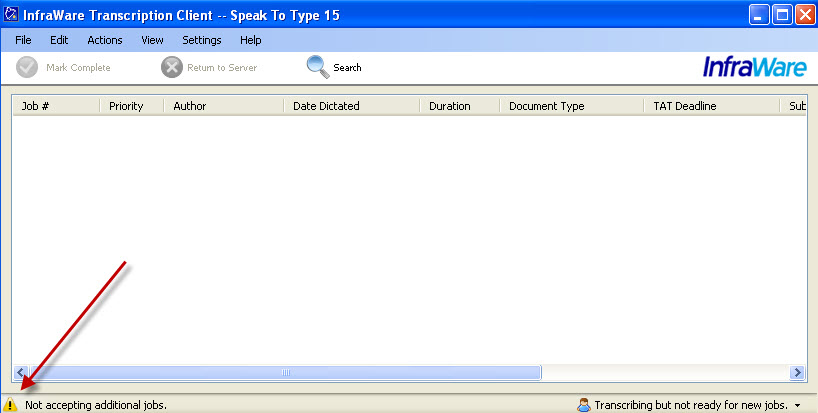
The MT can open these messages by double clicking on the Exclamation Mark image found in the bottom left hand corner of the ITC Queue Listing Screen:
Once a message is viewed, it will no longer show to a user.
|
| Related KBs | |
|
|
|
How can I create a message to be sent to my users? Create and send an Account Message |
| Direct Link to This KB |
|
| http://kb.infraware.com//KB/?f=680 |
| Last Updated |
|
| Monday, October 26, 2015 |
| Tags |
|
| KB680 ITC View System Message Alert |


.jpg)